Rob Golding

Technology Consultant

Dell Studio Laptop Wakes Itself up from Hibernate

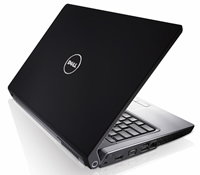
My new laptop, a Dell Studio 1535, has started exhibiting a strange problem as of late; when I hibernate it over night, it resumes early in the morning, waking me up with the fan spinning.
I was preparing to send the thing back to Dell, when it happened one night and I checked out the event logs. It turns out that Windows Update was resuming the machine from hibernate - and then updating itself. After turning this off, I've had a good night's sleep! Also, Windows Defender was scheduled to scan the machine every morning at 2.00am, so that's been disabled too.

-

I hope this post can provide answers to anyone else experiencing a similar issue.

Categories: Home Network, Life, Technology | | RSS 2.0

  • Mark
    Thanks folks,

    I had started to believe in ghosts.
    I had the laptop in my bedroom and was startled when it sprang to life in the middle of the night....
  • Rob
    Dell Studio 1535 hibernate issue with Windows 7. After installation, it won't wake itself when I press the sleep button or close the laptop. I have to power cycle the machine to get it back. Got the current bios and ran the Powercfg hibernate on as well as other related commands. Any other ideas?
  • Eh, meant to say thanks for your post - I hope your solution works for me too.
  • Man, I have been wondering why my Studio 17 keeps doing this too.

    Why the heck would anyone want Windows Update to bring the laptop out of Hibernate?! Another example of Microsoft stupidly guessing what users want and getting it wrong.

    I will try switching Windows Update off.

    Do you always have to manually update now?

    I have found that every time I switch my machine on, the update logo appears over the shutdown icon on the Start menu. It then shuts down, installs the update and then when it restarts the same thing happens again.
  • You're a life saver! Who would have thought that in hibernation, it could turn itself on!

    I'm going to give it a try and see if it turns itself on tongith!
  • Andreas
    Thank you very much. I had the same problem. I now disabled Windows night update ... and will see tomorrow.
    Andreas, Cologne, Germany
  • Dan
    Thanks,

    had the same issue on a D620 running Windows 2008 server and a D630 running Vista Ultimate.

    Only ever occured when AC power was plugged in.
  • Andrew Knight
    Thanks! Same thing was happening with my Studio 1735. Was driving me nuts. Have followed your instructions and hopefully this will sort it out.
blog comments powered by Disqus